A light-weight QGraphicsObject dialog for selecting a chess piece. More...
#include <piecechooser.h>
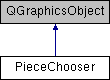
Public Types | |
| enum | { Type = UserType + 2 } |
Public Slots | |
| void | destroy () |
| void | reveal () |
Signals | |
| void | pieceChosen (const Chess::Piece &piece) |
Public Member Functions | |
| virtual QRectF | boundingRect () const |
| void | cancelChoice () |
| virtual void | paint (QPainter *painter, const QStyleOptionGraphicsItem *option, QWidget *widget=nullptr) |
| PieceChooser (const QList< GraphicsPiece * > &pieces, qreal squareSize, QGraphicsItem *parent=nullptr) | |
| virtual int | type () const |
Protected Member Functions | |
| virtual void | mousePressEvent (QGraphicsSceneMouseEvent *event) |
Detailed Description
A light-weight QGraphicsObject dialog for selecting a chess piece.
PieceChooser displays a list of graphical chess pieces in a simple layout and lets the user to choose a piece type with the mouse.
Member Enumeration Documentation
| anonymous enum |
The type value returned by type().
Constructor & Destructor Documentation
| PieceChooser::PieceChooser | ( | const QList< GraphicsPiece * > & | pieces, |
| qreal | squareSize, | ||
| QGraphicsItem * | parent = nullptr |
||
| ) |
Creates a new piece chooser.
The user can choose one of the pieces in pieces, or select a null piece by clicking outside of the dialog. squareSize is the width and height of a square on the chessboard. The pieces shouldn't be bigger than that or else they'll overlap.
The created dialog is hidden, and can be displayed by calling reveal().
Member Function Documentation
| void PieceChooser::cancelChoice | ( | ) |
Chooses a null piece and destroys the object.
|
slot |
Fades the dialog out and destroys the object.
|
signal |
This signal is emitted when the user has chosen a piece.
If the user clicked outside of the dialog, piece is null.
The piece chooser is destroyed automatically after the choice has been made.
|
slot |
Reveals the dialog with an animation.
The documentation for this class was generated from the following files:
- projects/gui/src/boardview/piecechooser.h
- projects/gui/src/boardview/piecechooser.cpp